
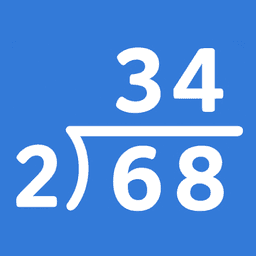
Screenshots
About Math (Division) Step By Step
Master long division and core arithmetic with step-by-step guidance. Math (Division) Step By Step breaks down complex calculations into clear, manageable stages, helping students understand the process—not just memorize answers.
This app covers four essential arithmetic skills: long division, long multiplication, addition, and subtraction. Each topic uses multiple layouts so you can match your preferred teaching method or curriculum standard. For long division, choose between the standard U.S. format (divisor on the left), the U.K./European format (divisor on the right), or a single-line layout. Long multiplication offers both classic vertical format and grid multiplication (box method) for visual learners.
Two learning modes adapt to different study styles. Guided Practice prompts students to select the correct result at each step, reinforcing proper procedure and building confidence through active engagement. Navigation Mode lets you move through solutions at your own pace—advance one step at a time or jump to the beginning or end of any problem. You can also choose whether answers display as remainders or decimals, aligning with your classroom's expectations.
The interface prioritizes clarity and reduces cognitive overload. Clean visuals and straightforward language keep focus on the math itself. Dark and light theme options ensure comfortable viewing in any lighting condition, whether studying at a desk or on the go.
Offline functionality makes this app reliable anywhere. Use it in the classroom without depending on internet access, during travel, or in areas with limited connectivity. Teachers and parents value an approach that builds lasting arithmetic fluency rather than quick fixes—this app delivers exactly that by emphasizing understanding over speed.
Math (Division) Step By Step is designed for students learning foundational arithmetic, parents supporting their children's math education, and teachers seeking a flexible tool that adapts to different instructional approaches. Start in seconds: open the app, select your topic, pick your layout and learning mode, and begin.
Related Apps

Neal Fun
nona developer
Interactive games and fun experiments — play puzzles, visual challenges, and brain teasers with Neal Fun.

What Was That? Daily Riddle
Yoran Yossipov
Daily riddles & brain teasers — solve new puzzles every day with What Was That?

aa arrow puzzle
Skycap
Puzzle game with arrow logic challenges. Solve brain teasers offline on any Android device.

Crown Tactics & Puzzle
AZE Forge
Puzzle strategy game with tactical gameplay and dark/light themes — no filler, pure challenge.

No Wifi Fun: Relax Games
JMGame
Offline puzzle games with brain teasers, stress relief, and casual challenges — play anywhere without WiFi.

Mine It! - Train Puzzle Game
Volt Games
Train puzzle game with brain-teasing challenges. Solve puzzles, choose your theme, play anytime.
Latest Articles

Best apps for discovering new music on Android in 2026 (8 picks beyond Spotify)
May 22, 2026

Best AudioToon alternatives in 2026 (we compared 7 audiobook and drama apps)
May 22, 2026

Best Background Eraser alternatives in 2026 (we tested 7)
May 22, 2026

Best BeautyPlus alternatives in 2026 (we tested 7)
May 22, 2026

Best Blibli alternatives in 2026 for Indonesian shoppers (we tested 7)
May 22, 2026